Wordpress Scanner
Detect vulnerabilities in WordPress sites, such as outdated plugins or themes, insecure configurations, authentication weaknesses, and risks like SQL Injection, XSS, and RCE.
note
The selected target will be scanned with the available tools. Select Wordrpress Scanner Tool
To scan using the Wordpress Scanner, follow the steps below:
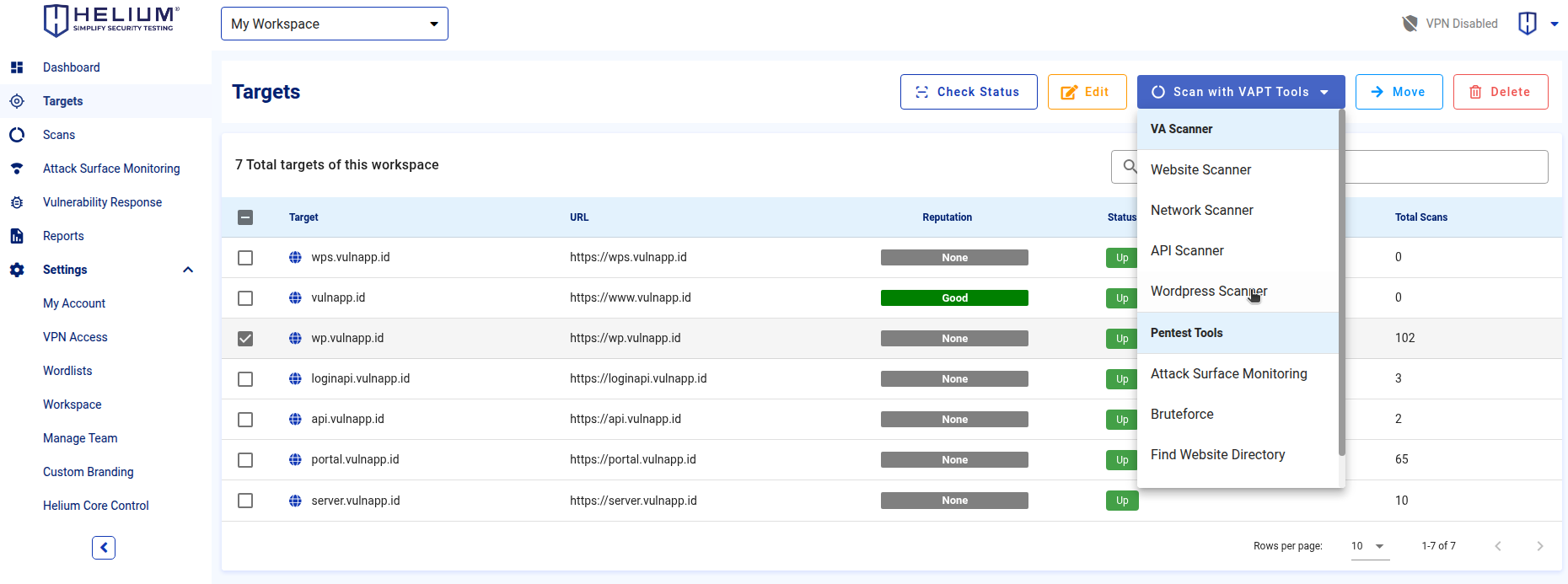
- Access the Targets menu, select your target, click the Scan with VAPT Tools button, and choose Wordpress Scanner.
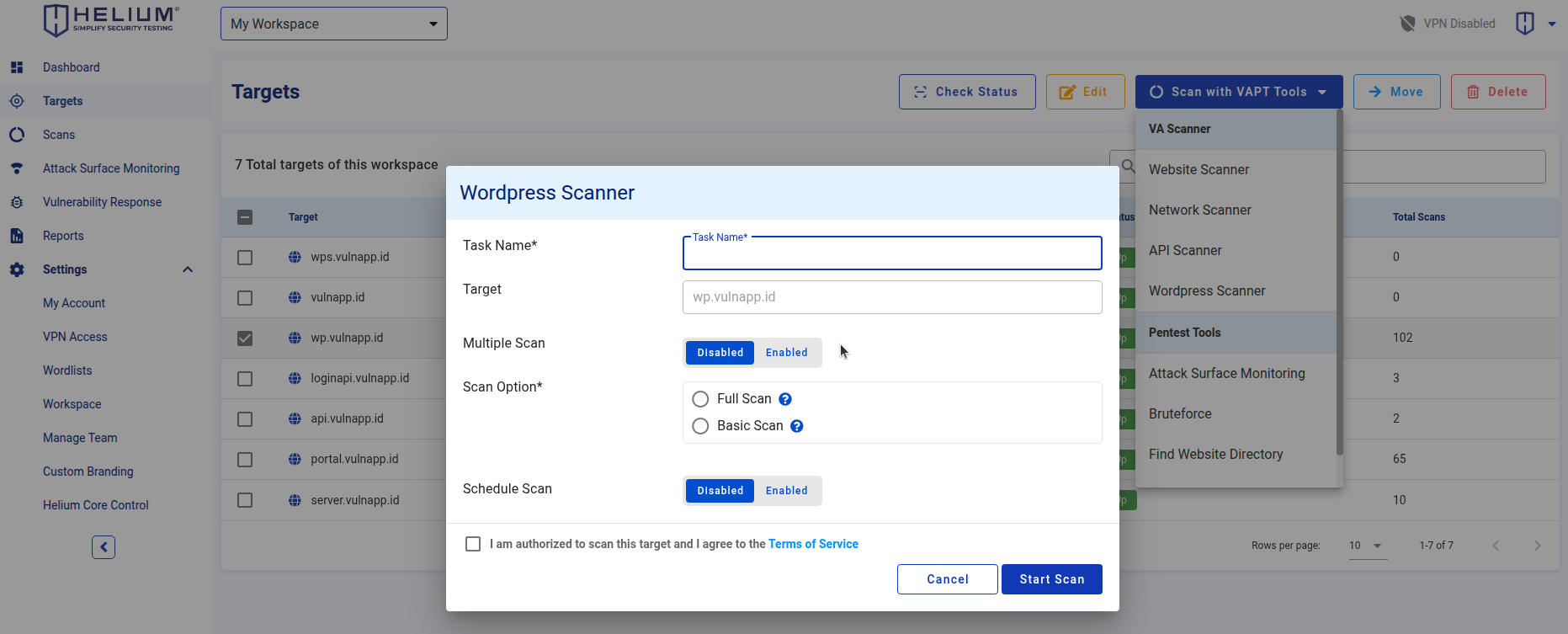
- Enter a name for the task in the Task Name field.
- Click Multiple Scans to enable or activate multiple scanning (optional).
- Choose a scan option: either Full Scan or Basic Scan.
- Click Scheduled to enable or activate a scheduled scan (optional).
- Check the "agree Terms of Service" checkbox.
- Click the Start Scan button to begin the scanning process, or click Cancel to abort.